Floating Stopwatch and Timer2.2
Publisher Description
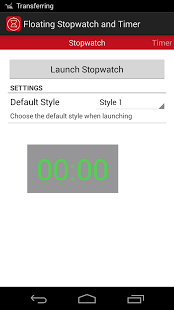
Floating Stopwatch and Timer gives users the ability to keep a stopwatch or countdown timer on top of the screen above other apps.
After launching the stopwatch/timer just tap on the numbers to start the clock. You can move the stopwatch/timer by dragging from the sides of the window. You can close the stopwatch/timer from the notification. In Android 4.1 Jelly Bean and above the user can access settings for the stopwatch/timer to quickly change style or the Timers time.
In the free version users can customize the colors of 1 style.
Upgrade to the Pro version to gain access to:
5 Customizable Styles
Change size of the Stopwatch/Timer
Change opacity of text and background
Choose the Timers alarm
and more to come...
About Floating Stopwatch and Timer
The company that develops Floating Stopwatch and Timer is Angs Apps. The latest version released by its developer is 2.2. This app was rated by 3 users of our site and has an average rating of 3.5.
To install Floating Stopwatch and Timer on your Android device, just click the green Continue To App button above to start the installation process. The app is listed on our website since 2014-03-21 and was downloaded 2,523 times. We have already checked if the download link is safe, however for your own protection we recommend that you scan the downloaded app with your antivirus. Your antivirus may detect the Floating Stopwatch and Timer as malware as malware if the download link to com.acelaapps.stopwatchfree is broken.
How to install Floating Stopwatch and Timer on your Android device:
- Click on the Continue To App button on our website. This will redirect you to Google Play.
- Once the Floating Stopwatch and Timer is shown in the Google Play listing of your Android device, you can start its download and installation. Tap on the Install button located below the search bar and to the right of the app icon.
- A pop-up window with the permissions required by Floating Stopwatch and Timer will be shown. Click on Accept to continue the process.
- Floating Stopwatch and Timer will be downloaded onto your device, displaying a progress. Once the download completes, the installation will start and you'll get a notification after the installation is finished.
Program Details
System requirements
Download information
Pricing
Version History
version 2.2
posted on 2014-03-21
**Version 2.2**,Backup System fully implemented,**Version 2.1**,Long Click to reset Stopwatch/Timer,Alarm now stops playing after 5 minutes,Alarm volume now plays at system alarm volume,Fixed FAQ page on larger screens,**Version 2.0.1**,Fixed crash when starting app (cause was In App Billing system),Added FAQ to About section,**Version 2.0**,Major update to fix multiple issues,Improved UI,Floating windows now fit on all devices
version 1.3
posted on 2013-05-09
Several fixes and updates
